

Stylo Documentation
Learn how to roll out Stylo, configure grounded AI responses, and scale toward safe automation.
Stylo helps support teams answer faster with grounded AI, reusable workflows, and a controlled rollout path from agent assist to automation. Use these docs to set up your workspace, connect the systems your team relies on, and define how Stylo should respond.
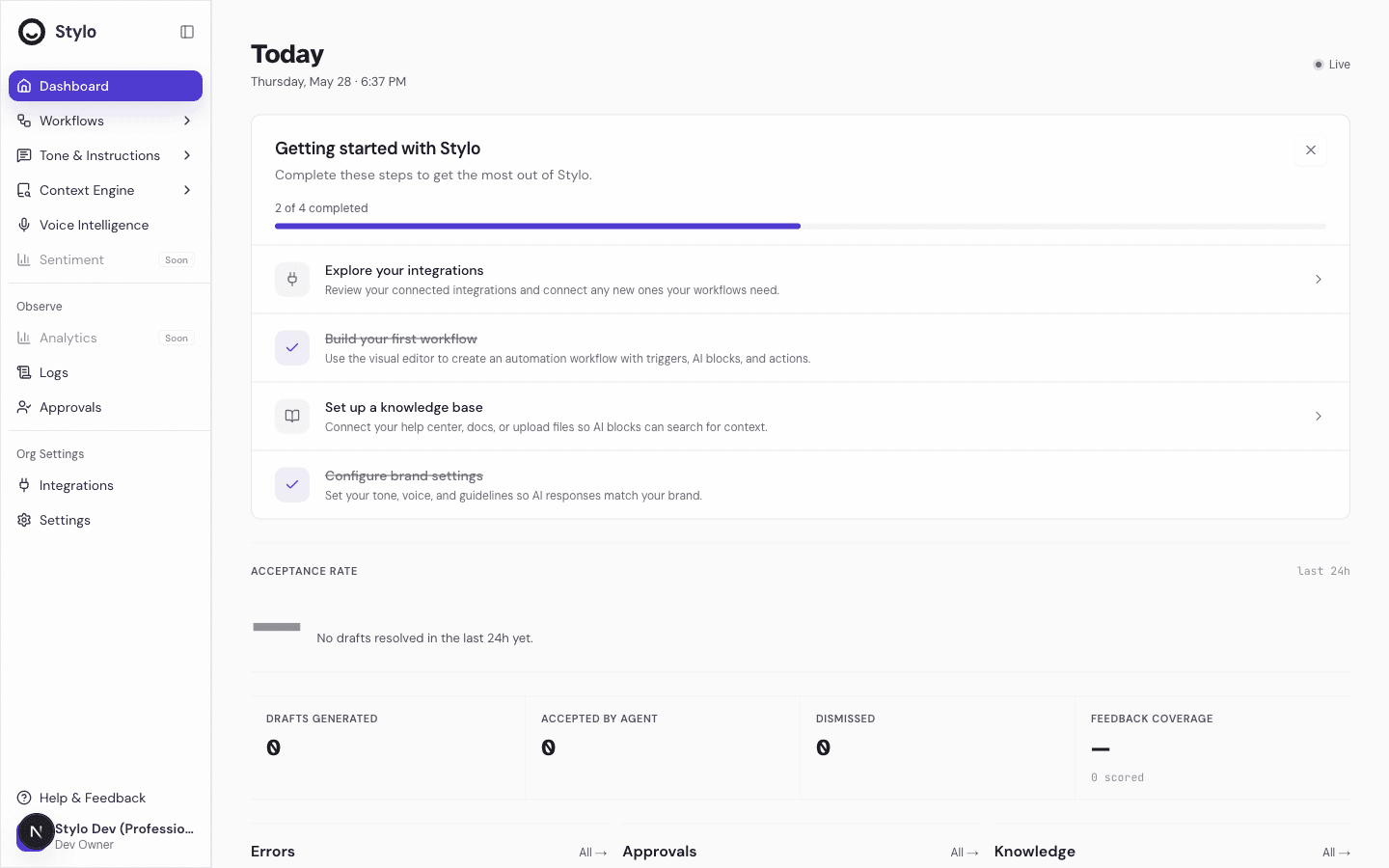
Start with setup
If you are setting up Stylo for a new workspace, start here:
- Getting Started to understand the initial rollout path
- Integrations to review connected systems and add the ones your workflows need
- Knowledge Base to connect help center content, docs, or uploaded files
- Brand Settings to define tone, voice, and response rules
- Response Workflows to standardize repeated support work
This setup path matches the onboarding checklist inside the Stylo workspace. It is the fastest way to move from initial configuration to a useful live workflow.
Getting Started
Follow the first-run path for a new workspace and understand what to configure first.
Choose the right path
Workspace Overview
Learn where admins and agents work in Stylo and what each area of the product is for.
Assist
See how agents review drafts, adjust responses, and work with grounded suggestions.
Knowledge Base
Improve answer quality by connecting reliable content and keeping it up to date.
Response Workflows
Build repeatable response logic with instructions, conditions, guardrails, and actions.
Who these docs are for
- Admins and operators who set up integrations, knowledge, brand guidance, and workflows
- Support leaders who want a safer rollout path from assist to more automation
- Agents who need to understand how Stylo drafts responses and when manual review still matters
What you can do in Stylo
- Connect the external systems your team uses in support operations
- Ground AI responses in your help center, internal docs, and uploaded files
- Define brand rules so responses match your team’s tone and constraints
- Build workflows for repeated ticket patterns
- Review results before you expand automation further
Related
- Members and Access to invite teammates and manage workspace access
- Managed APIs to connect API-backed tools used in workflows
- MCP Servers to configure MCP-based integrations
- Query Mapping to improve retrieval using real support conversations
LLM access
Machine-readable exports are available at /llms.txt and /llms-full.txt. These are intended for crawlers, retrieval systems, and other AI tooling that need a cleaner representation of the docs.